


Rich PV module/inverter/meteorological database
It integrates a comprehensive database of PV modules and inverters from leading manufacturers, enabling precise retrieval by manufacturer and device type, thus facilitating efficient and rapid device selection.
For device data not included in the software, various device parameters can be configured user-defined based on the official technical documentation provided by the manufacturer, to accommodate special devices and personalized project requirements.
Built-in rich and standard PAN/OND files can be directly used to create devices, and it also supports importing third-party PAN/OND files, providing flexible expansion.
After positioning the coordinates of the project, meteorological parameters such as irradiation, temperature, and wind speed can be automatically loaded. Meteonorm, NASA, and PVGIS support free access, and it is also compatible with Solargis format meteorological data or user-defined data import.
Learn more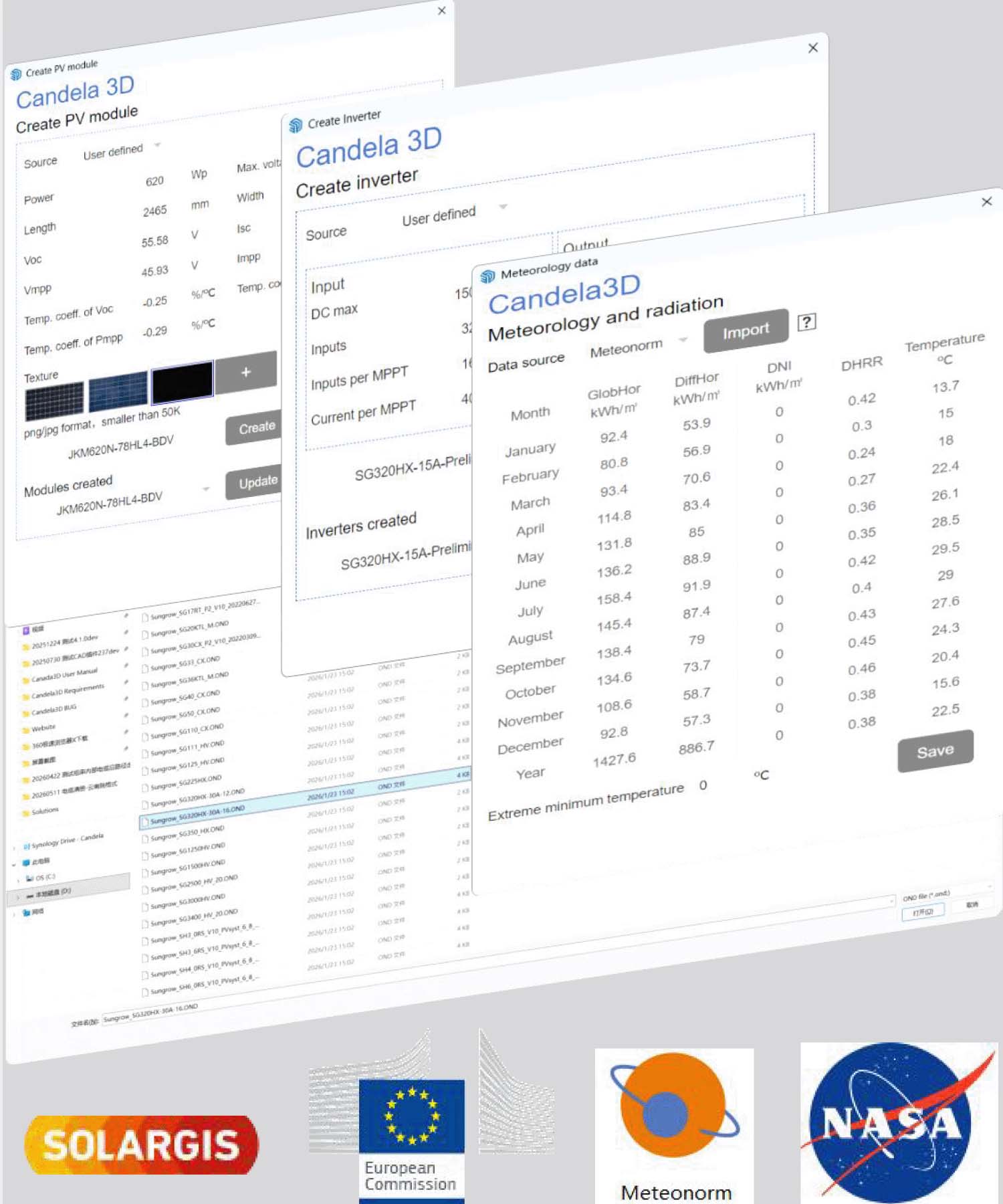





Generation of 3D terrain from multi-source, with powerful terrain analysis capabilities
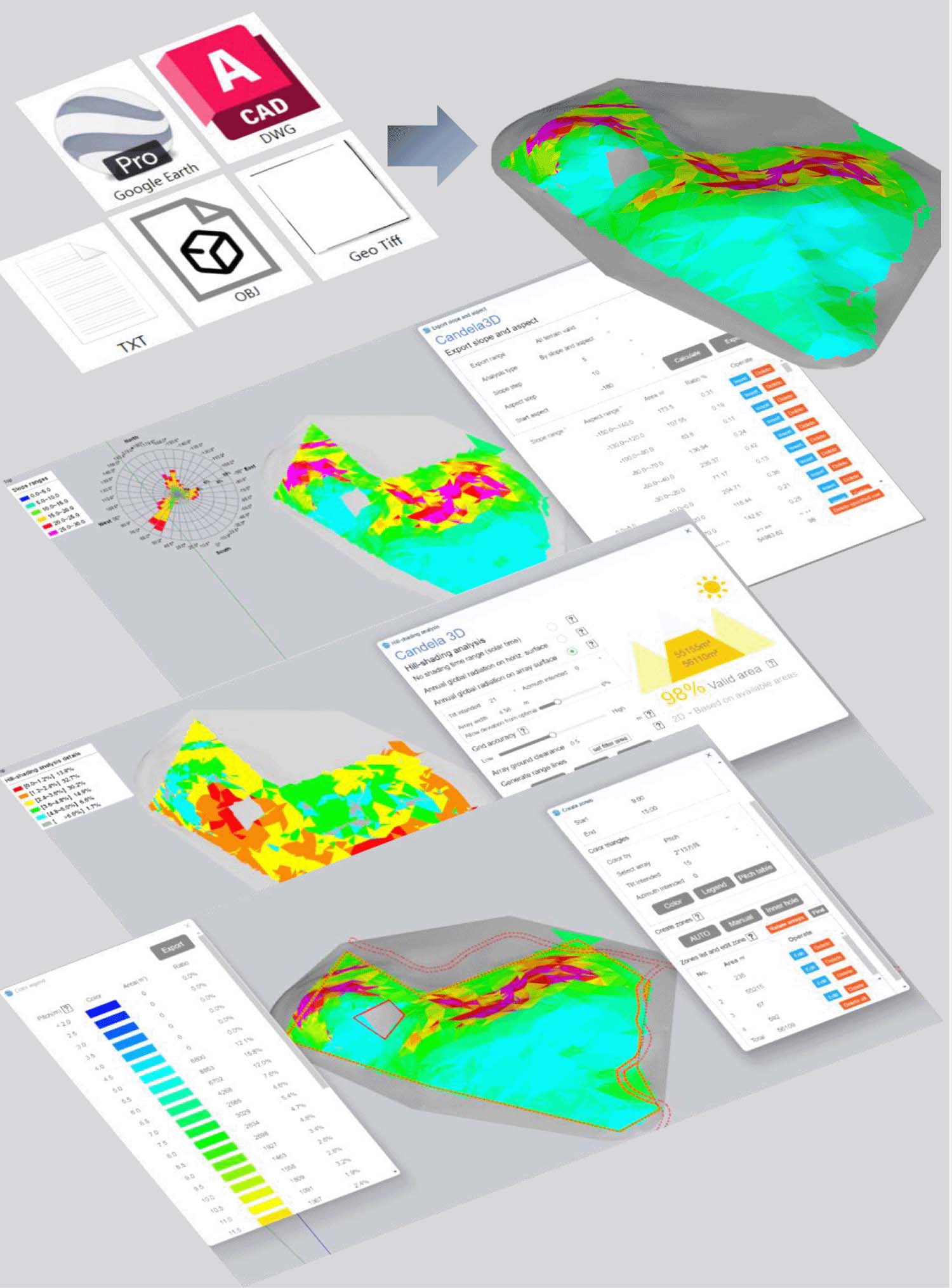
Supports contours, Geo tiff, Obj, txt as well as built-in satellite terrain, enabling rapid generation of 3D terrain models and precise restoration of topographical features.
Support natural slope, N-S slope, E-W slope, and custom aspect slope analysis. Terrain analysis can be conducted using single or multiple parameter combinations to achieve precise assessment of terrain conditions.
For complex terrain, plots can be selected based on sunshine duration, horizontal surface irradiation, or array surface irradiation, to accurately identify suitable areas.
Color the terrain based on array pitch, terrain slope, or aspect, providing intuitive and efficient guidance for the creation of PV zones to adapt complex terrain layout.
Learn more


Support multiple types of racks, layout algorithm adaptable to complex terrain
It covers fixed-tilt, horizontal tracker and flexible racks. It supports stringing PV modules between defferent arrays.
Based on the terrain conditions, different pitch layout forms can be adopted: custom pitch, auto fixed pitch, and auto vary pitch type, accurately adapting to different terrains. It can also meet the layout requirements of special terrains such as terraces and water surfaces.
Supports various layout alignment types such as algin, not-align, algin with specified array and algin by angles.
Support capacity iteration based on tilt, azimuth, and pitch, each layout capacity's yield, CAPEX, and IRR are also calculated.
Learn more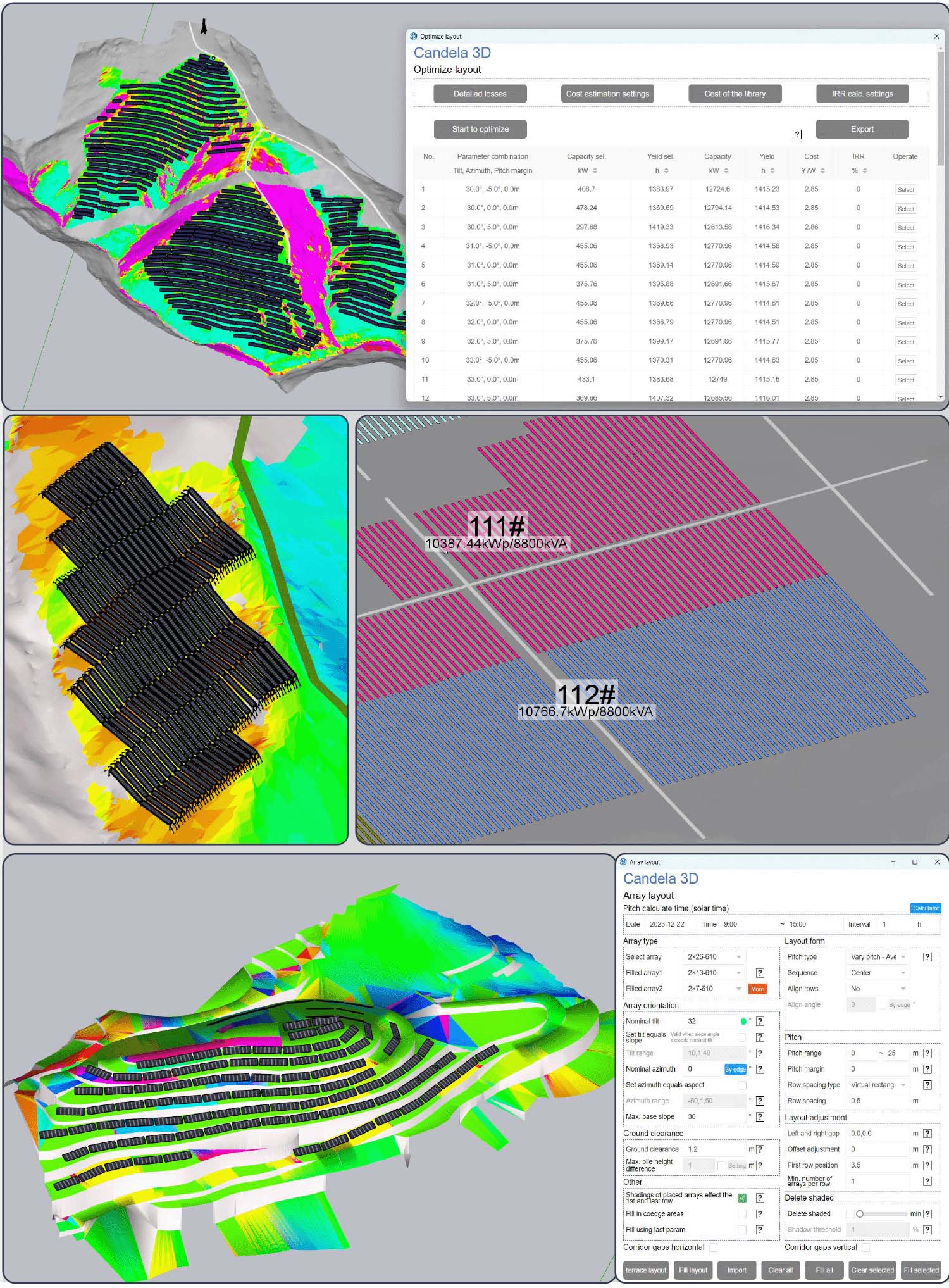


Excellent and diverse shading analysis tools
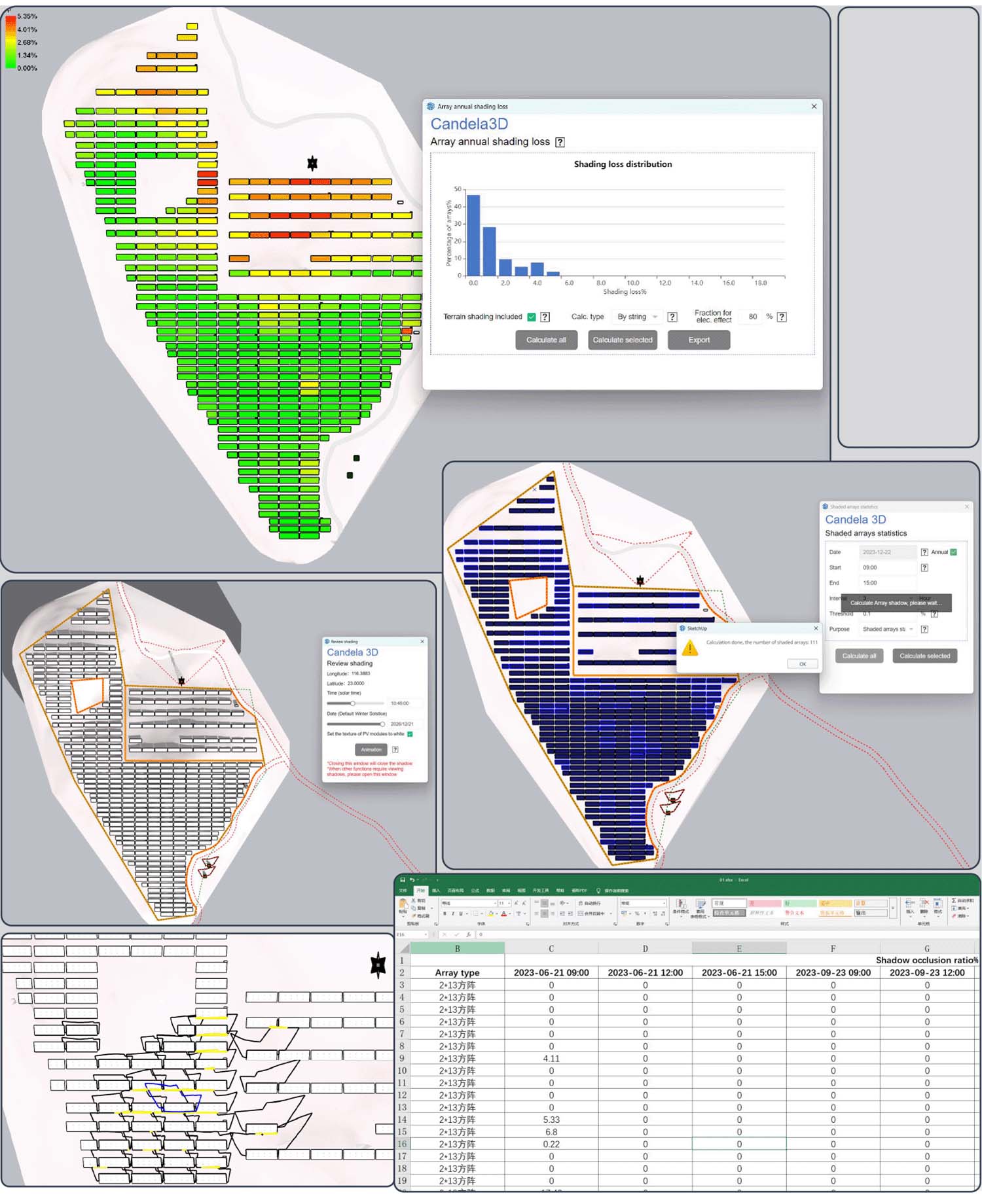
Support calculating annual irradiation for each array before and after near shadings, and simultaneously count the proportion of annual near shading loss for each array. This allows for the deletion of arrays with high near shading losses, and provides accurate data support for the performace raito evaluation of PV power plants.
Support dynamic shading review by time or user-defined time range, which can visually display the shading status of arrays and shading objects at different time ranges, allowing for precise inspection of shading conditions.
Based on the set time range, the shaded ratio of the arrays is automatically calculated, and a statistical table of shaded ratios can be exported. Additionally, it supports selecting and deleting shaded and unqualified arrays.
Arrays's shadow in the set time range can be auto. drawn, and support exporting the shadow range line into dwg file, adapting to the subsequent design process.
Learn more





Shading objects and shadow calculation
Houses, tower, trees, WTGs, Lightning arresters, cuboids, and fences can be quickly selected according to needs, providing efficiency and convenience.
Supports batch import of shading objects based on coordinates, with the flexibility to modify individual or all size parameters.
For shading objects not included in the built-in model library, it supports independent drawing modeling, and can also import third-party 3D models and define them as shading objects to participate in calculations.
It can perform shadow range calculations on all or selected shading objects, accurately assessing the impact of shading on arrays and assisting in optimizing the layout plan of photovoltaic arrays.
Learn more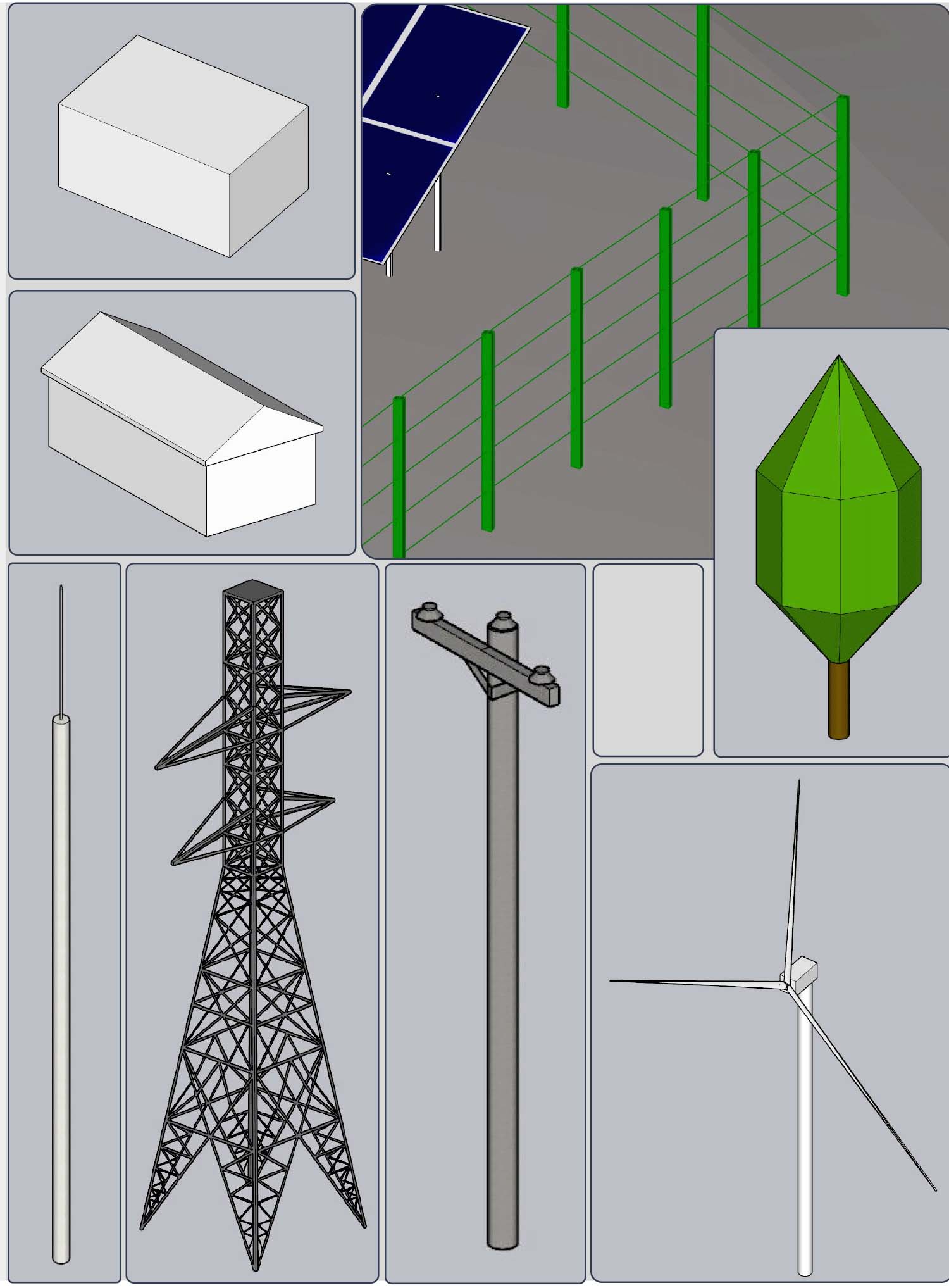
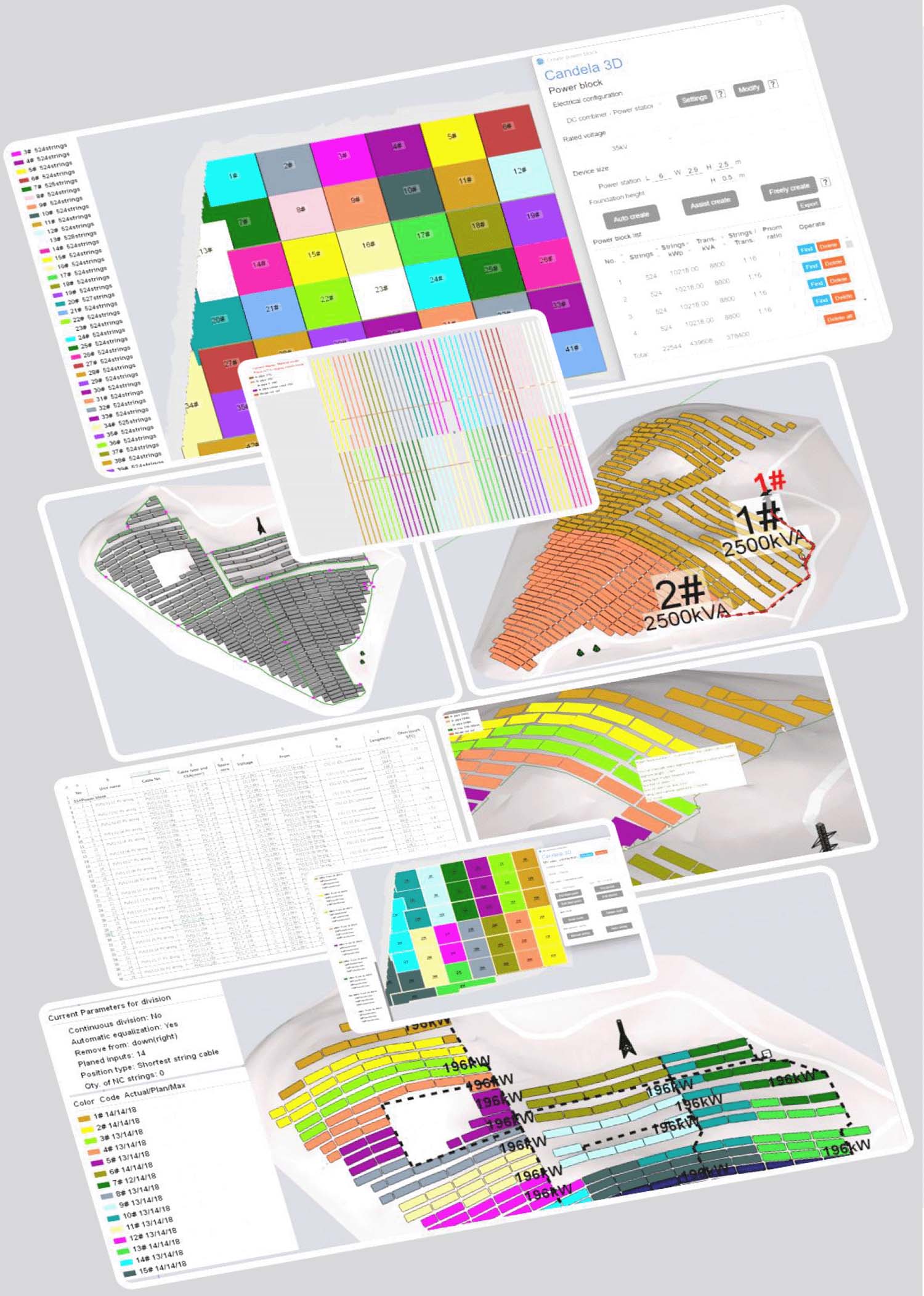






From strings to MV point, all electrical connections supported
Support the automatic division of strings into power blocks of specified capacity, and automatically place transformers. Supports manual adjustment or manual quick division of power blocks.
Auto. complete the wiring from strings to combiners/string inverters and automatically position transformers. Manually/auto. complete cable routing planning and manually/auto. complete the electrical connection planning from transformers to MV points.
Auto. calculation of cable length, voltage drop, and cross-section, supports custom exports cable list and voltage drop calculation sheet.
Supports cable laying in tray, pip or trench, intelligently calculate material specifications, and exports material list.
Generate the horizontal grounding grid, vertical grounding electrodes, and device grounding connections for the site step by step, supporting parameterized configuration, manual editing, material statistics, and CAD export, to fulfill the entire process of grounding design for photovoltaic projects.
Learn more

Support multiple grading type
Before placing arrays, the site shall be grading according to the specified EW and NS slope to smooth the terrain.
The horizontal tracker is graded according to the axis of the array to facilitate mechanized construction by bulldozers.
Calculate the optimal site leveling plan that meets the constraints of pile length, ground clearance, base slope of arrays, height difference between adjacent arrays in the same row, height difference between adjacent rows, and earthwork balance.
The cross seciton of each row can be exported, including pile positions and the terrain profiles before and after grading.
Auto generate site leveling general plan, which can be used for on-site construction.
Learn more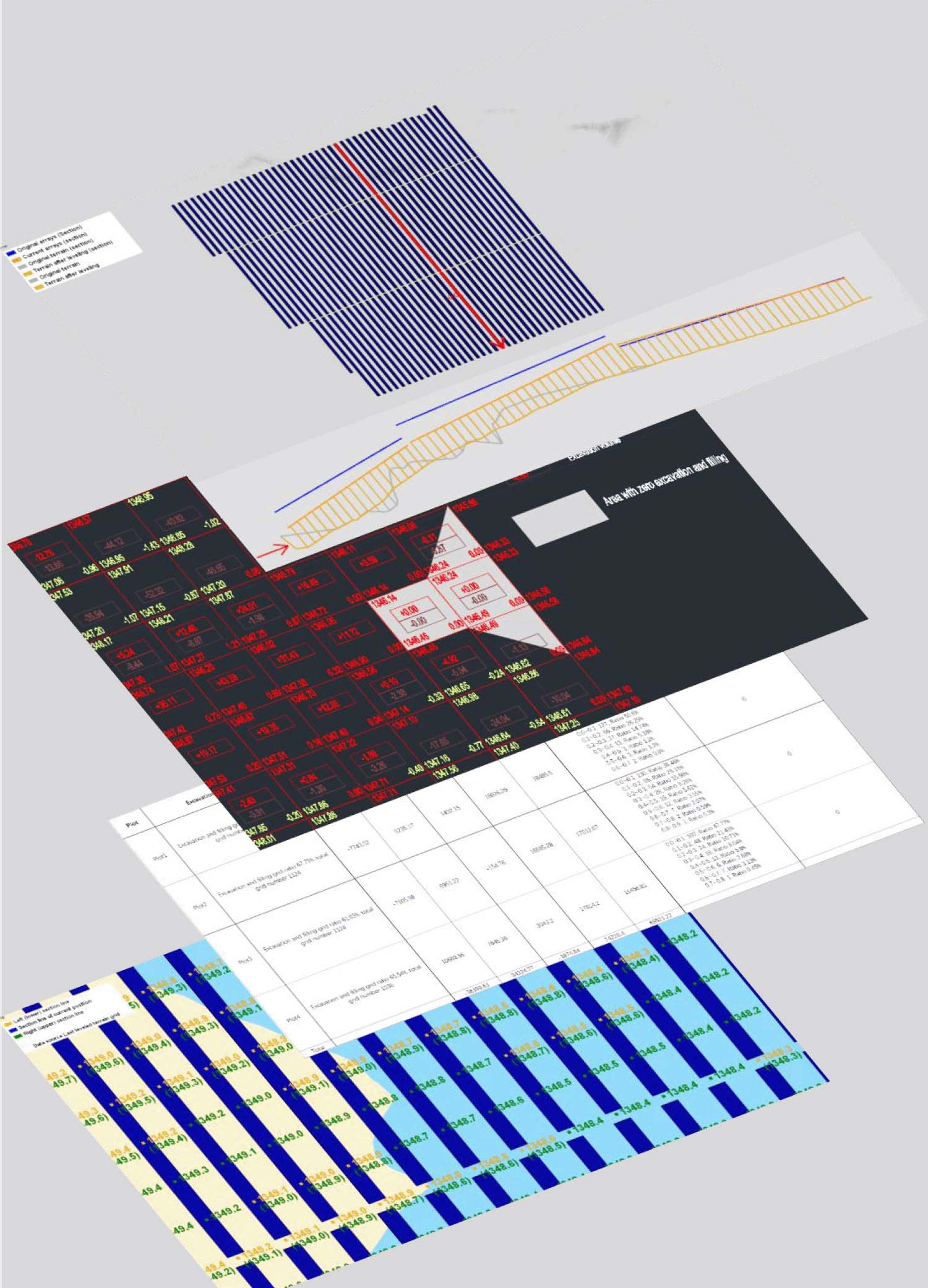
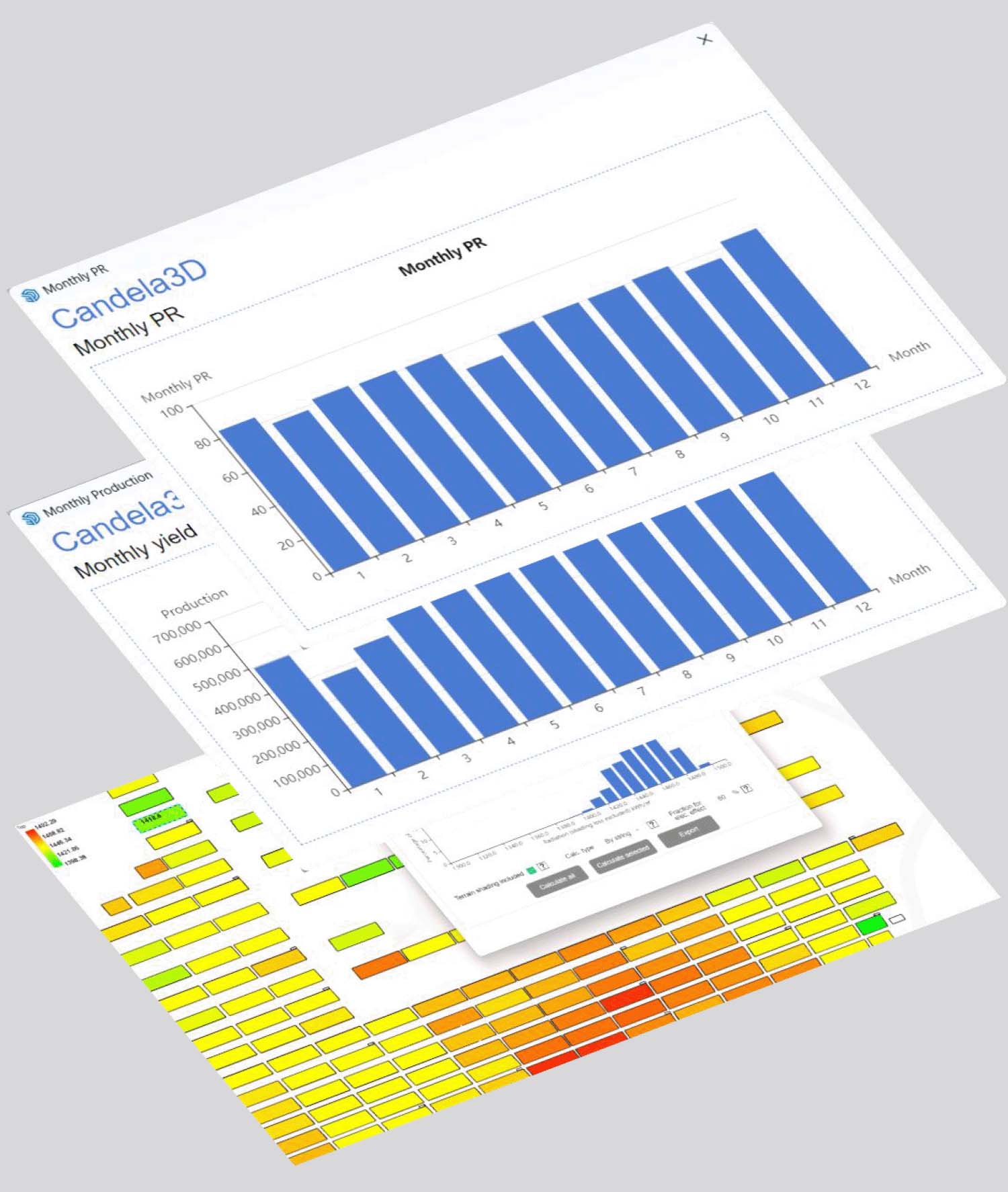





Yield calculation: quick and slow mode
Each month, a typical 24-hour day is selected for representative calculation.
Simulation calculations can be performed based on the real 3D layout of the PV array, as well as the real electrical connections between each string and the inverter and transformers. It supports bifacial gain calculations, covering various losses such as IAM, near-shading, temperature loss, irradiance loss, and electrical loss.
Learn more

Export to dwg and import external layout
Export 2D layout, pile coordinates, cable laying, SLD, etc. Supports custom export items, supports the export of CAD viewport range lines, and meets therequirements of detailed designs.
Existing layout and electrical connection results in dwg format can be imported to generate 3D layout and electrical connection.
Support synchronize with dwg files for bidirectional data exchange, like PV arrays, transformers, combiner devices, and electrical connections.
Learn more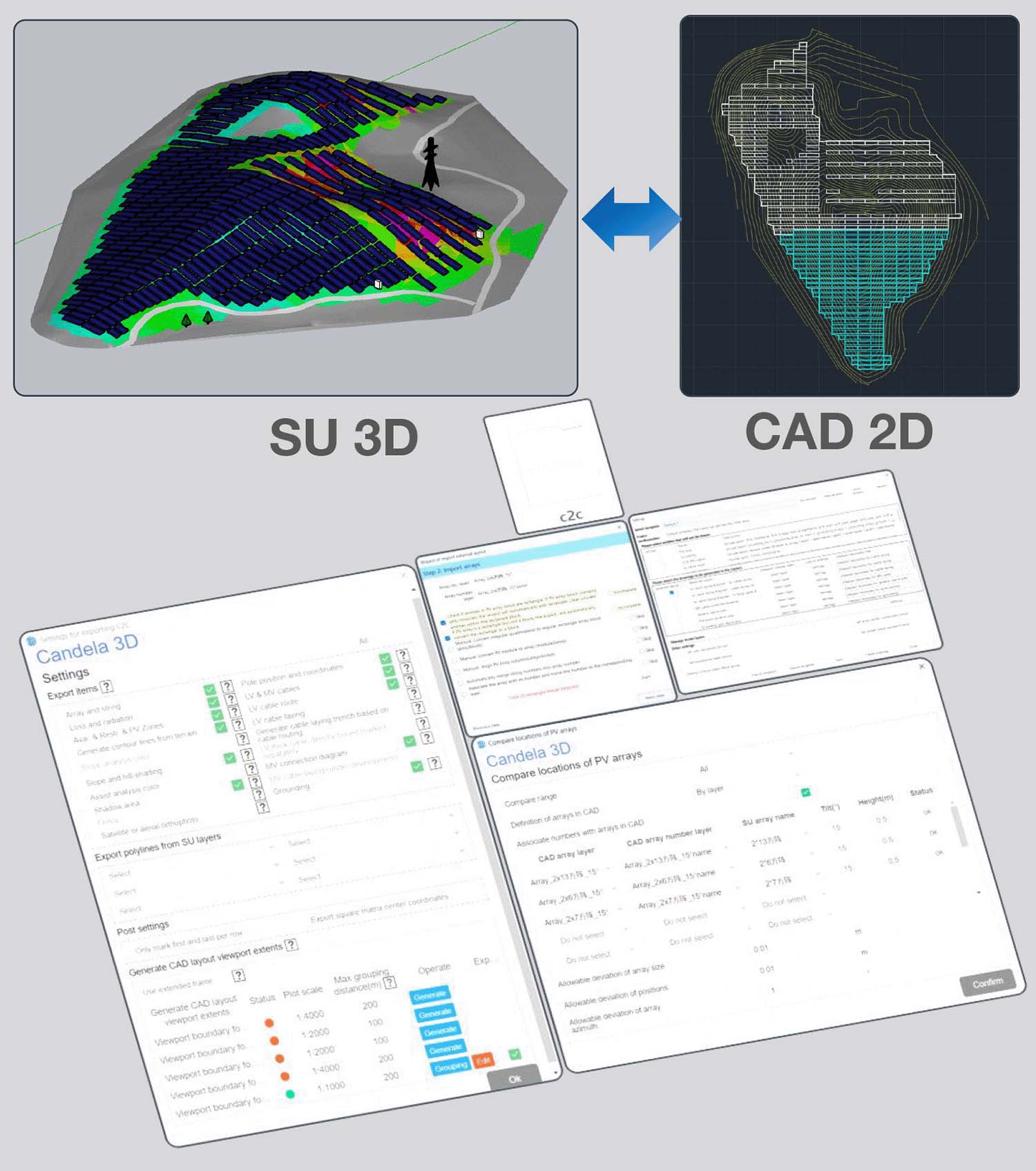
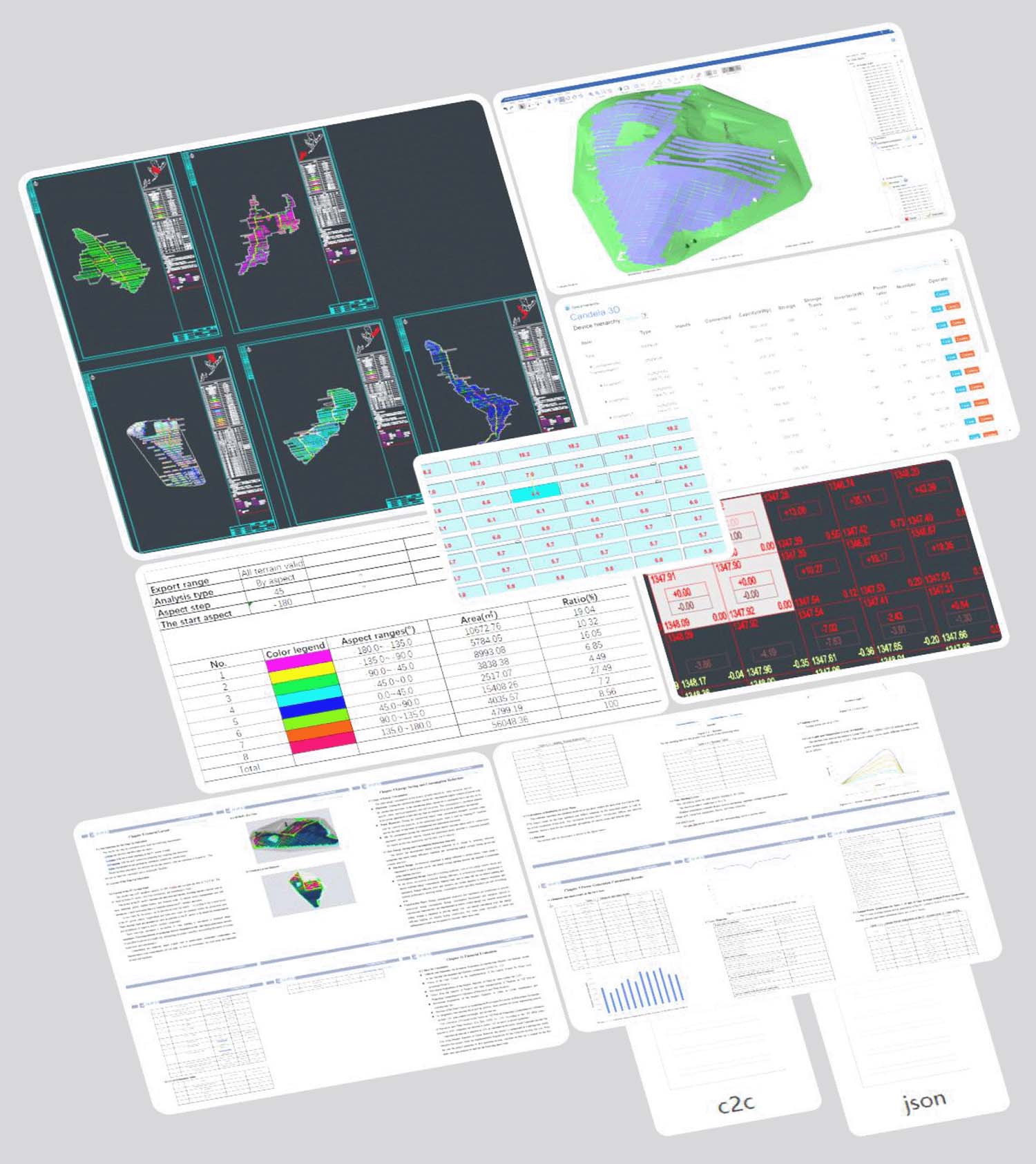
Main design results
Generate layout drawings, pile position drawings, SLD, cable routing diagrams, MV connection diagrams, cable laying diagrams, grounding diagrams, and cable lists, etc
Export in two formats: DAE and H2P.
Design report, yield simulation report, cable voltage drop calculation report.
Tables for terrain analysis, near shading loss, arrays shaded ratio, CAPEX, yield, IRR, design comparison.
BOM, device hierarchy,layout area information table, power block information table, pile position coordinate table, grounding material table, cable laying material table.
Learn more